Algorithms, Programming
& Compilers
Discover how step-by-step instructions become running programs: from algorithm design through high-level code to machine-executable output.
What Is an Algorithm?
An algorithm is a finite, ordered sequence of well-defined steps that solves a specific problem or performs a computation. Algorithms exist independently of any programming language: you can express them in English, pseudocode, or flowcharts.
A Simple Sorting Algorithm
Let's trace a selection sort on the list [5, 3, 8, 1]. Each pass finds the smallest unsorted element and places it in the correct position.
Why Algorithms Matter
Every piece of software, from search engines to medical imaging, relies on algorithms. Choosing the right algorithm determines whether a task takes milliseconds or hours.
What Is Programming?
Programming is the process of translating an algorithm into a specific programming language so that a computer can execute it. A program is an algorithm expressed in code.
Algorithm → Java Code
Here's how the "find the maximum" algorithm translates into Java:
public static int findMax(int[] arr) {
int max = arr[0];
for (int i = 1; i < arr.length; i++) {
if (arr[i] > max) {
max = arr[i];
}
}
return max;
}
What Is a Compiler?
A compiler is a program that translates source code written in a high-level language into a lower-level language (machine code or bytecode) before execution. It checks for errors and optimizes the output.
Compiled vs. Interpreted
| Compiled | Interpreted | |
|---|---|---|
| Translation | Entire program at once, before running | Line by line, during execution |
| Error Detection | At compile time (before running) | At runtime (while running) |
| Speed | Generally faster (pre-optimized) | Generally slower (translated on-the-fly) |
| Examples | Java, C, C++ | Python, JavaScript, Ruby |
| Output | Machine code or bytecode file | No separate output file |
The Java Build Pipeline
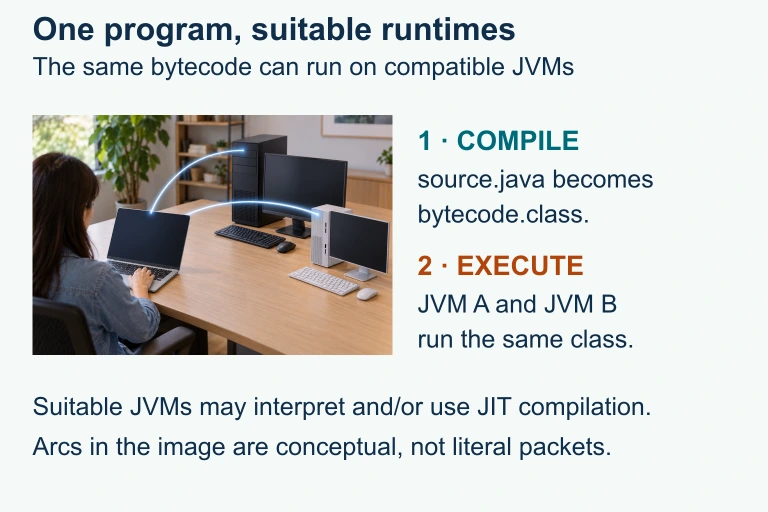
One bytecode, compatible runtimes
The same compiled bytecode can execute on suitable Java virtual machines; the connecting arcs are conceptual rather than literal packets.
Compile-Time vs. Runtime Errors
int x = 5 // ← won't compile!
// Runtime error: division by zero
int y = 10 / 0; // ← compiles fine, crashes at runtime
Step-by-Step: Your First Program
Example 1: Hello, World!
public static void main(String[] args) {
System.out.println("Hello, World!");
}
}
Example 2: Sum of an Array
Algorithm: Initialize a running total to 0. For each element in the array, add it to the total. Return the total.
int total = 0;
for (int val : arr) {
total += val;
}
return total;
}
Example 3: Linear Search
Problem: Find the index of a target value in an array. Return \( -1 \) if not found.
for (int i = 0; i < arr.length; i++) {
if (arr[i] == target) {
return i;
}
}
return -1;
}
Common Mistakes
Putting It All Together
| Concept | Definition | Key Point |
|---|---|---|
| Algorithm | Finite sequence of well-defined steps | Language-independent |
| Program | Algorithm expressed in a programming language | Executable by a computer |
| Compiler | Translates entire source code before execution | Catches errors early |
| Interpreter | Translates and executes code line by line | Errors found at runtime |
| Bytecode | Intermediate, platform-independent code | Java's "write once, run anywhere" |
| JVM | Runs Java bytecode on any platform | Handles memory and execution |
Question 1 of 5
Which of the following best describes an algorithm?
Question 2 of 5
What does the Java compiler (javac) produce as output?
Question 3 of 5
A student writes int x = 10 / 0; in their Java program. The code compiles successfully. What happens next?
Question 4 of 5
What is the worst-case time complexity of a linear search through an array of \( n \) elements?
Question 5 of 5
Which statement correctly describes the difference between a compiler and an interpreter?