Assignment Statements
and Input
Master how Java stores values in variables using assignment statements, and learn to capture user input with the Scanner class.
What Is a Variable?
A variable is a named container in memory that holds a single value at a time. Think of it as a labeled box: the label is the variable's name, and the contents are its value.
Declaring Variables in Java
A declaration tells the compiler the variable's type and name. You may also initialize it with a starting value in the same statement.
Why Assignment Matters
Almost every Java program stores, updates, and retrieves data. Without assignment statements, programs could not remember anything between lines of code.
The Assignment Statement
The assignment operator \(\texttt{=}\) copies the value on the right side into the variable on the left side. It does not mean "equals" in the math sense.
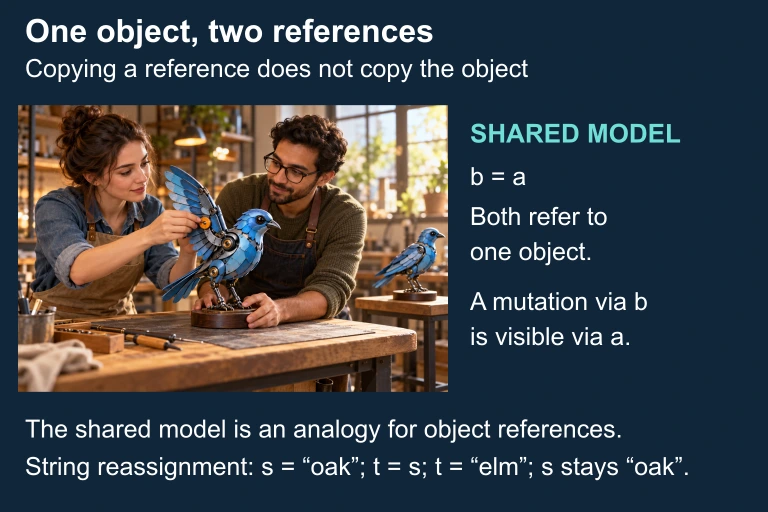
Reference assignment as an analogy
Copying an object reference does not copy the mutable object. Reassigning a String reference does not alter the original reference; the apparatus is an analogy, not a literal Java heap.
Re-assignment: Overwriting Values
When you assign a new value to an existing variable, the old value is destroyed. The variable only ever holds one value at a time.
\(\texttt{=}\) versus \(\texttt{==}\)
The single equals sign and the double equals sign do completely different things in Java. Confusing them is one of the most common bugs.
| \(\texttt{=}\) (Assignment) | \(\texttt{==}\) (Comparison) | |
|---|---|---|
| Purpose | Stores a value | Tests if two values are equal |
| Returns | The assigned value | A boolean (true/false) |
| Example | \(\texttt{x = 5}\) | \(\texttt{x == 5}\) |
| Used in | Statements | Conditions (if, while) |
Compound Assignment Operators
Java provides shorthand operators that combine arithmetic and assignment into a single step. These are tested on the AP exam.
| Shorthand | Equivalent | Result (\(\texttt{x}\) starts at 10) |
|---|---|---|
| \(\texttt{x += 3}\) | \(\texttt{x = x + 3}\) | 13 |
| \(\texttt{x -= 4}\) | \(\texttt{x = x - 4}\) | 6 |
| \(\texttt{x *= 2}\) | \(\texttt{x = x * 2}\) | 20 |
| \(\texttt{x /= 5}\) | \(\texttt{x = x / 5}\) | 2 |
| \(\texttt{x \%= 3}\) | \(\texttt{x = x \% 3}\) | 1 |
Increment and Decrement
The \(\texttt{++}\) and \(\texttt{--}\) operators add or subtract 1. They are the most compact form of re-assignment.
User Input with Scanner
The Scanner class reads input from the keyboard. You must import it and create an object before using it.
Key Scanner Methods
How to Apply Assignment
Example 1: Simple Assignment
Trace the value of each variable after every line.
Two collaborators work on one shared model
 Java assignment copies a value. For primitive variables this is the primitive value; for object variables it is a reference to an object.
Assignment copies a value
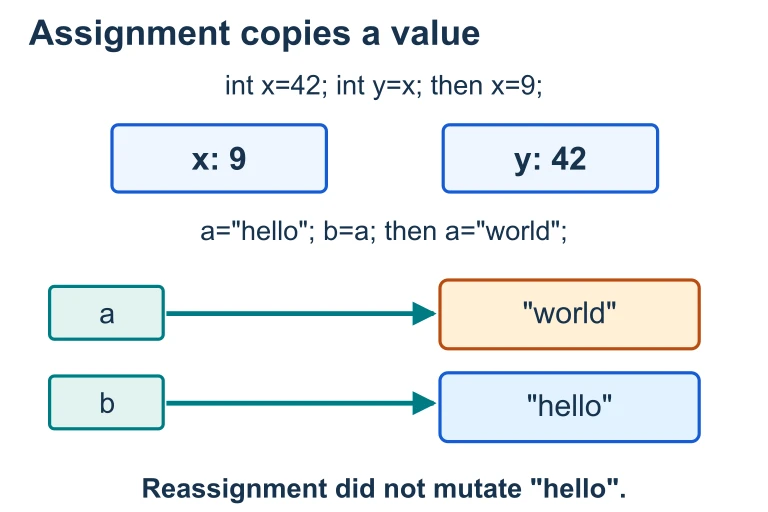 After x is changed to 9, y keeps its copied value of 42. For String variables, assignment copies a reference: reassigning a to "world" leaves b referring to the unchanged "hello" object.
Example 2: Swapping Two Variables
You cannot swap two variables directly. A temporary variable is required to hold one value during the swap.
Example 3: Input and Calculation
A complete program that reads two numbers from the user, calculates their average, and prints the result.
Common Mistakes
Question 1 of 5
What is the value of \(\texttt{y}\) after the following code runs?int x = 4; int y = x + 3; x = 10;
Question 2 of 5
Which line of code correctly declares and initializes a double variable?
Question 3 of 5
What does \(\texttt{x \%\%= 4}\) do if \(\texttt{x}\) is currently \(15\)?
Question 4 of 5
To swap the values of variables \(\texttt{a}\) and \(\texttt{b}\), what is the minimum number of assignment statements needed?
Question 5 of 5
What is printed by this code?int n = 7; n += 3; n *= 2; System.out.println(n);